Scrapling Guide for Python Web Scraping: Dynamic Pages, Anti-Bot Tricks, and Spider Basics
Looking for a practical Scrapling guide for Python web scraping? This article walks through installation, static pages, dynamic rendering, anti-bot fetching, CLI tricks, sessions, and Spider basics without turning the whole thing into a robot instruction manual.

Scrapling Guide: Python Web Scraping Without Losing Your Sanity 🚀
Most scraping projects start with dangerous optimism.
You tell yourself:
“I just need one page. This will take ten minutes.”
And then the internet responds with:
- a static page that becomes dynamic
- a dynamic page that becomes protected
- a protected page that suddenly wants browser automation
- a browser workflow that makes your once-simple script look like a small civil engineering project
That is exactly where Scrapling becomes interesting.
It tries to give you one mental model for Python web scraping, whether you are:
- making a simple HTTP request
- rendering JavaScript-heavy pages
- dealing with anti-bot friction
- or scaling up into a Spider-style crawler
So if you came here looking for a real Scrapling tutorial, a practical Python web scraping guide, or a calmer way to deal with modern websites, you are in the right place.
What exactly is Scrapling?
Short answer:
Scrapling is a modern Python web scraping framework built for messy real-world websites.
It does more than just:
- send requests
- parse HTML
It also helps with:
- dynamic page fetching
- stealth / anti-bot scenarios
- structured extraction
- Spider-style crawling
- CLI workflows for quick experiments
In spirit, it sits somewhere between:
- the simplicity of
requests + lxml - the browser power of
Playwright - and the crawler mindset of
Scrapy
That mix is the reason people pay attention to it.
Who should use it?
Scrapling is a strong fit if:
- you want to do Python web scraping without stitching five tools together
- you need dynamic page scraping
- you expect some anti-bot friction
- your one-page script might grow into a crawler later
- you want a smoother upgrade path from “quick extraction” to “actual scraping project”
It is probably overkill if:
- you only scrape very simple static pages
- you never need browser automation
- you already have a battle-tested Scrapy stack and zero interest in changing it
If all you want is one tiny static page, requests + BeautifulSoup is still perfectly fine.
If your project smells like it may become complicated next week, Scrapling starts looking smarter.
The nicest thing about Scrapling is not speed. It is flow.
Most tools are great at one thing:
requestsis lightweightPlaywrightis powerfulScrapyis mature
But the real pain in scraping is often this:
Every new problem forces you to switch your whole mental model.
Scrapling reduces that friction.
| Need | Scrapling approach |
|---|---|
| Static pages | Fetcher |
| Dynamic pages | DynamicFetcher |
| Harder protected pages | StealthyFetcher |
| Parsing | page.css() / page.xpath() |
| Persistent sessions | FetcherSession / DynamicSession |
| Concurrent crawling | Spider |
That makes the learning curve feel less like a staircase and more like a ramp.
Which is good, because the web is already dramatic enough.
Installation: let’s get to the fun part first
If you want the full Scrapling experience, install the complete package:
pip install "scrapling[all]"
Then install the browser dependencies:
scrapling install
If you only want the parser at first:
pip install scrapling
But honestly, most people look at Scrapling because they want more than plain parsing. So installing the full package usually saves time.
Your first example: static page, zero drama
Before you dream about scraping half the internet, do the obvious thing first:
Make sure your environment can fetch a simple page successfully.
from scrapling.fetchers import Fetcher

page = Fetcher.fetch("https://example.com")

print(page.status)
print(page.title)
print(page.css("h1::text").get())
That single example already shows a lot:
- it makes the request
- it returns a rich response object
- you can parse it immediately with CSS selectors
This is one of Scrapling’s strongest ergonomics wins.
You do not get a raw response and then spend the next paragraph turning it into something useful. It is already useful.
Parsing feels refreshingly normal
In scraping, half the battle is not fetching the page.
It is staring at the page and wondering:
“Why is the thing I can clearly see not showing up in my code?”
Scrapling keeps the extraction layer straightforward.
CSS selectors
title = page.css("h1::text").get()
links = page.css("a::attr(href)").getall()
XPath
title = page.xpath("//h1/text()").get()
Text-based search
node = page.find_by_text("More information", first_match=True)
print(node)
If you come from BeautifulSoup, it feels accessible.
If you come from Scrapy, it feels familiar.
If you come from copy-pasting selectors out of DevTools and praying...
well, welcome to a healthier lifestyle. 😌
Which fetcher should you use?
This is the core decision in Scrapling.
Fetcher
Use it when:
- the page is static
- the content is already in the initial HTML
- plain HTTP requests are enough
from scrapling.fetchers import Fetcher

page = Fetcher.fetch("https://example.com")
DynamicFetcher
Use it when:
- the site renders content with JavaScript
- you need browser execution
- the HTML response looks suspiciously empty
from scrapling.fetchers import DynamicFetcher

page = DynamicFetcher.fetch(
    "https://example.com",
    headless=True,
    network_idle=True,
)
StealthyFetcher
Use it when:
- the site is clearly protected
- standard browser automation is not enough
- you are starting to feel judged by Cloudflare
from scrapling.fetchers import StealthyFetcher

page = StealthyFetcher.fetch(
    "https://example.com",
    headless=True,
    network_idle=True,
)
The practical order is:
- try
Fetcher - move to
DynamicFetcher - escalate to
StealthyFetcher
Do not launch a browser just because you can.
Your RAM has rights too. 🌀
Dynamic page scraping: stop fighting empty HTML
One of the most common beginner frustrations in dynamic page scraping looks like this:
- the page is clearly visible in the browser
- but your script only sees a hollow shell
That usually means JavaScript is doing the real work.
Here is a simple example:
from scrapling.fetchers import DynamicFetcher

page = DynamicFetcher.fetch(
    "https://quotes.toscrape.com/js/",
    headless=True,
    network_idle=True,
)

for quote in page.css(".quote"):
    text = quote.css(".text::text").get()
    author = quote.css(".author::text").get()
    print(text, "-", author)
The network_idle=True part matters.
It tells Scrapling to wait until the page has mostly finished loading before you start extracting data.
That is often the difference between “it works” and “why is this list empty again?”
The CLI is more useful than it has any right to be
Sometimes you do not want to build a script yet.
You just want to know:
“Can this page be scraped cleanly or not?”
That is where the CLI shines:
scrapling extract get "https://example.com" page.md --ai-targeted
The --ai-targeted mode is especially handy for content extraction because it tries to:
- keep the main content
- remove noisy markup
- make the output cleaner for downstream processing
There is also a browser-based version:
scrapling extract fetch "https://example.com" article.md --ai-targeted
And if you want an interactive workflow, Scrapling also gives you a shell:
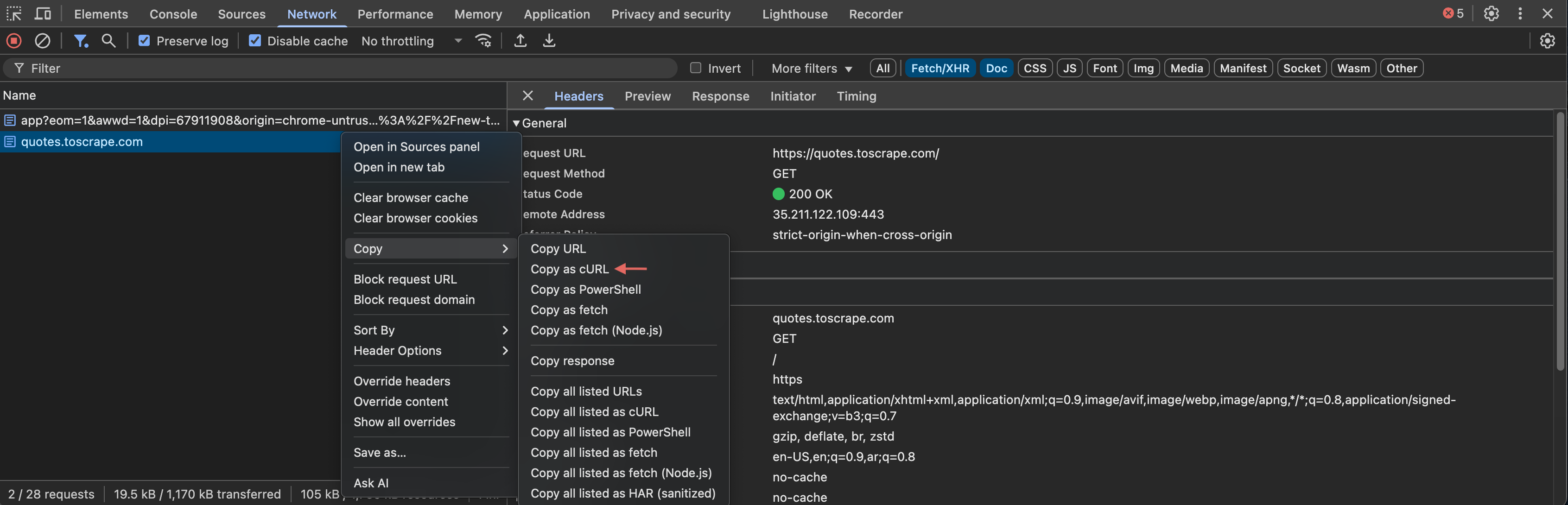
In plain English:
you can inspect, test, and extract without creating a “real project” first.
That is extremely useful when you are still in the “what is this site doing?” stage.
Sessions: because some workflows are more than one request
Fetching a single page and scraping a real process are very different things.
If you need to:
- stay logged in
- preserve cookies
- reuse headers or proxies
- follow multi-step flows
then sessions matter.
from scrapling.fetchers import FetcherSession

session = FetcherSession()

page1 = session.get("https://example.com")
page2 = session.get("https://example.com/account")

print(page1.status, page2.status)
This is especially useful for:
- paginated scraping
- account dashboards
- multi-page extraction flows
Many “the code looks correct but the data is nonsense” problems are really session problems in disguise.
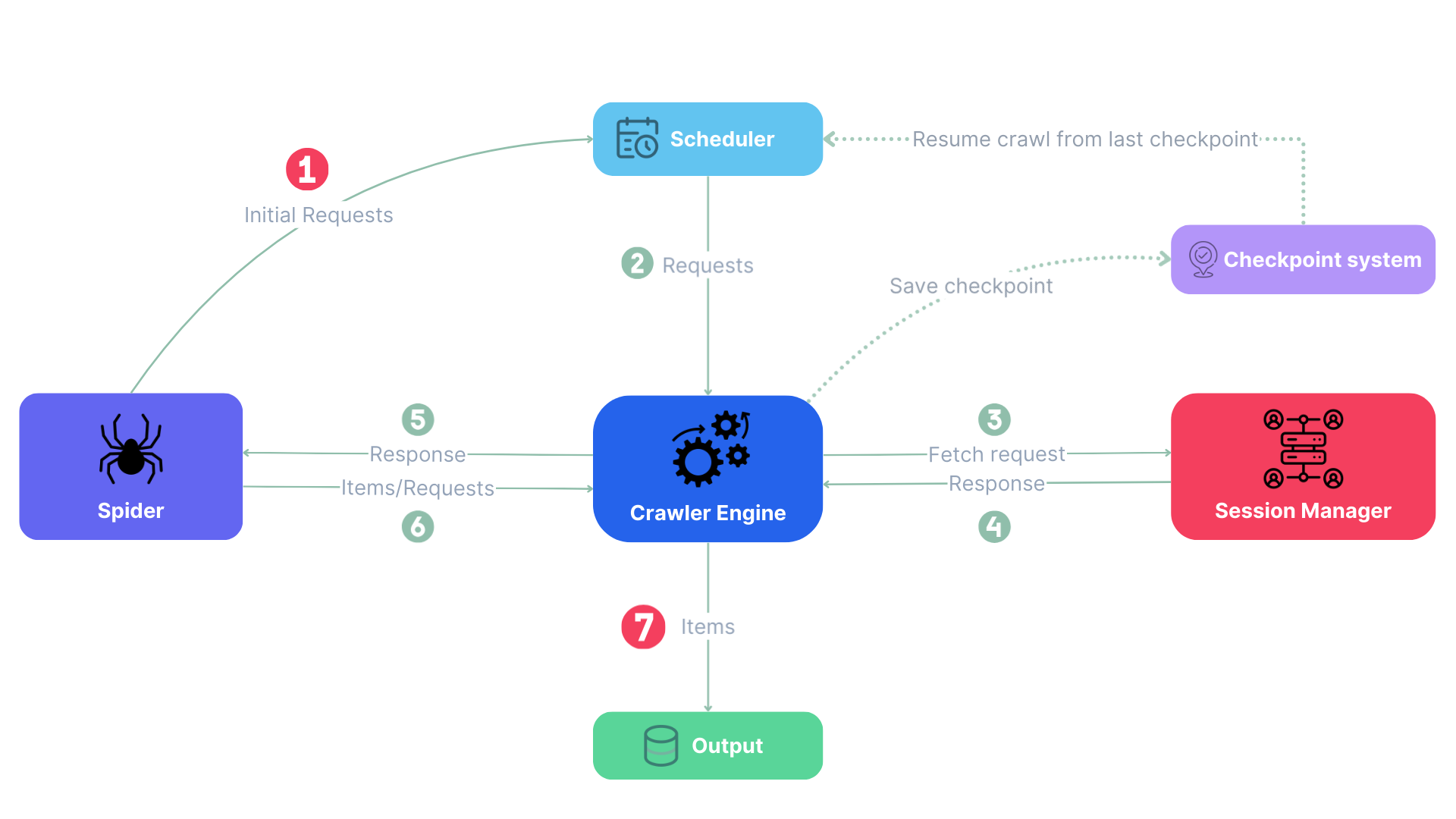
When the project grows up, use Spider
If your scraping project starts needing:
- many pages
- concurrency
- pause/resume
- callback-based crawling logic
then it is time to move from “script” to “crawler”.
That is where Scrapling’s Spider comes in:
from scrapling.spiders import Spider, Response

class DemoSpider(Spider):
    name = "demo_spider"
    start_urls = ["https://books.toscrape.com/"]

    async def parse(self, response: Response):
        for book in response.css(".product_pod"):
            yield {
                "title": book.css("h3 a::attr(title)").get(),
                "price": book.css(".price_color::text").get(),
            }

result = DemoSpider().start()
print(result.items)
The nice part is that this does not feel like starting over.
It feels like continuing with stronger tools.
Scrapling vs other common options
vs requests + BeautifulSoup
Scrapling is better when:
- pages may become dynamic
- the project may grow
- you want one workflow for more than one scraping style
vs Playwright
Playwright is primarily browser automation.
Scrapling gives you browser automation plus a cleaner higher-level scraping workflow:
- fetching
- parsing
- sessions
- extraction
- spiders
vs Scrapy
Scrapy is more mature and battle-tested.
Scrapling feels more lightweight for modern websites, especially when you want to move from quick scripts to real crawling without splitting your toolchain too early.
A learning order that won’t melt your brain
If you are new to Scrapling, this path works well:
- start with
Fetcher.fetch() - learn
.css(),.xpath(),.get(), and.getall() - move to
DynamicFetcher - add
Sessionworkflows - finish with
Spider
Do not start with concurrency, proxies, stealth, browser hooks, and recovery logic all at once.
That is not learning. That is plot development. 🎬
So, is Scrapling worth learning?
If you are doing Python web scraping against modern websites, the short answer is:
Yes, absolutely.
Not because it replaces every other tool.
But because it gives you a smoother path across the jobs that scraping projects usually grow into:
- static extraction
- dynamic rendering
- anti-bot pressure
- structured crawling
You do not need a brand-new worldview every time the site gets slightly more annoying.
That is a very real advantage.
What to read next
If your next goal is not just “fetch a page” but actually extract useful article content, the natural follow-up is:
How to Scrape News Articles with Scrapling: From Listing Pages to Clean Article Extraction
That article goes deeper into:
- extracting headlines, dates, authors, and content
- following links from listing pages into detail pages
- dealing with dynamic news sites
- keeping ads and “recommended reading” out of your final text
Which is where scraping gets truly practical. 😎
Reader feedback
What should this post improve or add?
Leave a feature request, improvement idea, or follow-up topic. I review these regularly.
Latest suggestions
No suggestions yet. Be the first one.
For deduplication, only hashes of IP, browser info, and local fingerprint are stored. Raw IP is not stored.